

Two SaaS quotes can look close until you add the items your team needs. Before comparing the totals, put both proposals on the same basis. Use the same number of users, required features, support level, usage allowance, currency, and service period. Then add recurring charges and any one-time costs for that period.
A simple comparison sheet can do most of the work. Put a required item on each row, give each proposal a column, and record where the supplier confirmed the price or inclusion. Keep unanswered questions visible so the next version of the quote can resolve them.
Write down what both proposals must cover
Start with the job the software needs to do. Ask the business owner to identify the workflows and features that must continue, and have IT confirm the access, integration, and support requirements. Record the quantities you want each supplier to price. That gives the suppliers a common scope to respond to.
Set the comparison period and currency before calculating. A monthly rate multiplied by twelve only describes a full year at that rate and quantity. Ask when the price starts, how long the commitment lasts, how it will be billed, and when quantities or terms can change. Use your software subscription renewal plan to bring those questions to the contract owner in time.
Check how the bill grows
Record the charging unit beside each price. A user, active account, workspace, storage allowance, or usage credit can produce a different bill as demand changes. Ask the supplier to show what is included, when an additional charge begins, and how you can track it.
Stripe’s overview of recurring pricing models describes flat, per-seat, tiered, and usage-based charging. These are examples of billing structures a supplier can use. Read the actual quote and agreement to find out which structure applies to your service.
If a proposal depends on usage, compare both quotes at the same expected usage. Add a second case for a busier period if that would change the decision. Keep the usage assumptions and the source of the rates next to the calculation, and ask how any minimum commitment or unused allowance is handled.
Add the required items to the same year
Consider this fictional comparison for 100 users over twelve months in USD. Both proposals cover the same required functionality and support, with no usage charges or one-time fees in this example. Amounts are before tax.
| Item | Quote A | Quote B |
|---|---|---|
| Base subscription | $35 per user per month | $39 per user per month |
| Annual base for 100 users | $42,000 | $46,800 |
| Required add-on, annual | $6,000 | Included |
| Required support, annual | $2,400 | Included |
| Total for the year | $50,400 | $46,800 |
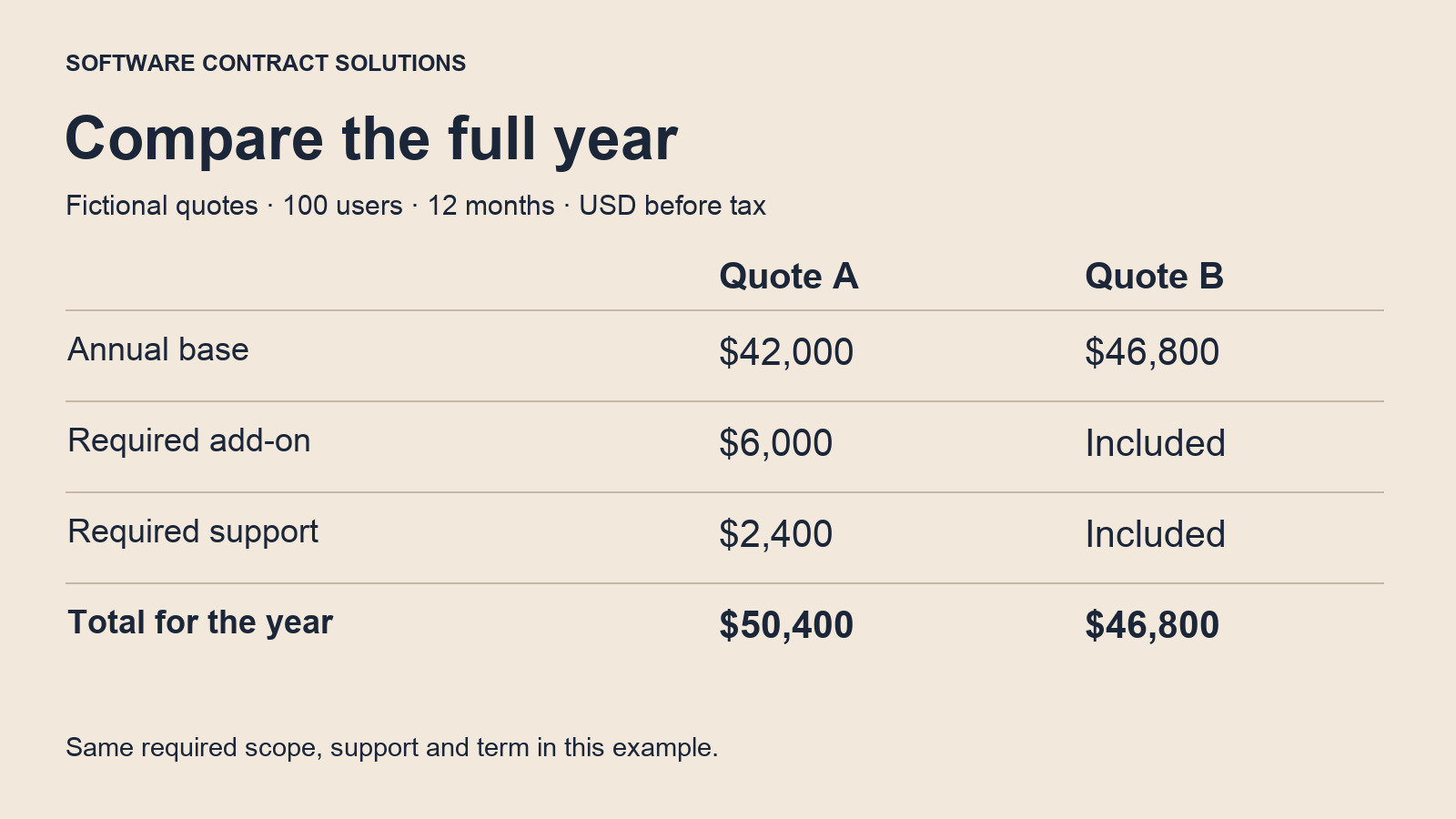
The lower seat price in Quote A produces a total that is $3,600 higher for this defined year and scope. If you only compare $35 with $39, you miss the difference. Confirm that “included” covers the exact features and support your team specified before treating either total as complete.
In a real comparison, add setup, migration, or training fees where they apply. Show those costs separately from recurring charges so everyone can see how the first year differs from the next. Have finance confirm how tax, currency conversion, and payment timing should appear in the final comparison.
Check when a discount ends
Ask what the proposal will cost after a promotional period. A discount can cover a single invoice, several months, or a longer period. Stripe’s subscription discount documentation illustrates those different durations. Your supplier’s written proposal needs to establish the duration and what follows it.
For a multi-year offer, calculate each year using the quoted schedule and show the full commitment. Keep a first-year credit on the line where it applies. If the later price or adjustment method is still open, record that question for the supplier.
Return the gaps before choosing
Send each supplier the rows that need clarification. Ask for the required scope, allowances, add-ons, support, term, and payment schedule in a revised written proposal. Give your business and IT owners a chance to check that the comparison still covers the work their teams need.
If you want help assessing the proposals, explore SCS SaaS negotiations and benchmarking or request a free introductory consultation. Bring the proposals, the decision date, and the scope you want both offers to cover.